Vibe Coding vs Traditional Coding - Why You Need Both
You've seen the LinkedIn posts. "Built 3 web apps in 30 minutes with zero experience using AI." If you've wondered whether that's real, whether AI makes learning unnecessary, or whether impressive demos equal production software — this article is for you.
Quick Navigation
Skip to: What Vibe Coding Actually Is · Real Differences · The Gap · Why Fundamentals Matter · The Timeline Truth · What You Should Do
What is Vibe Coding?
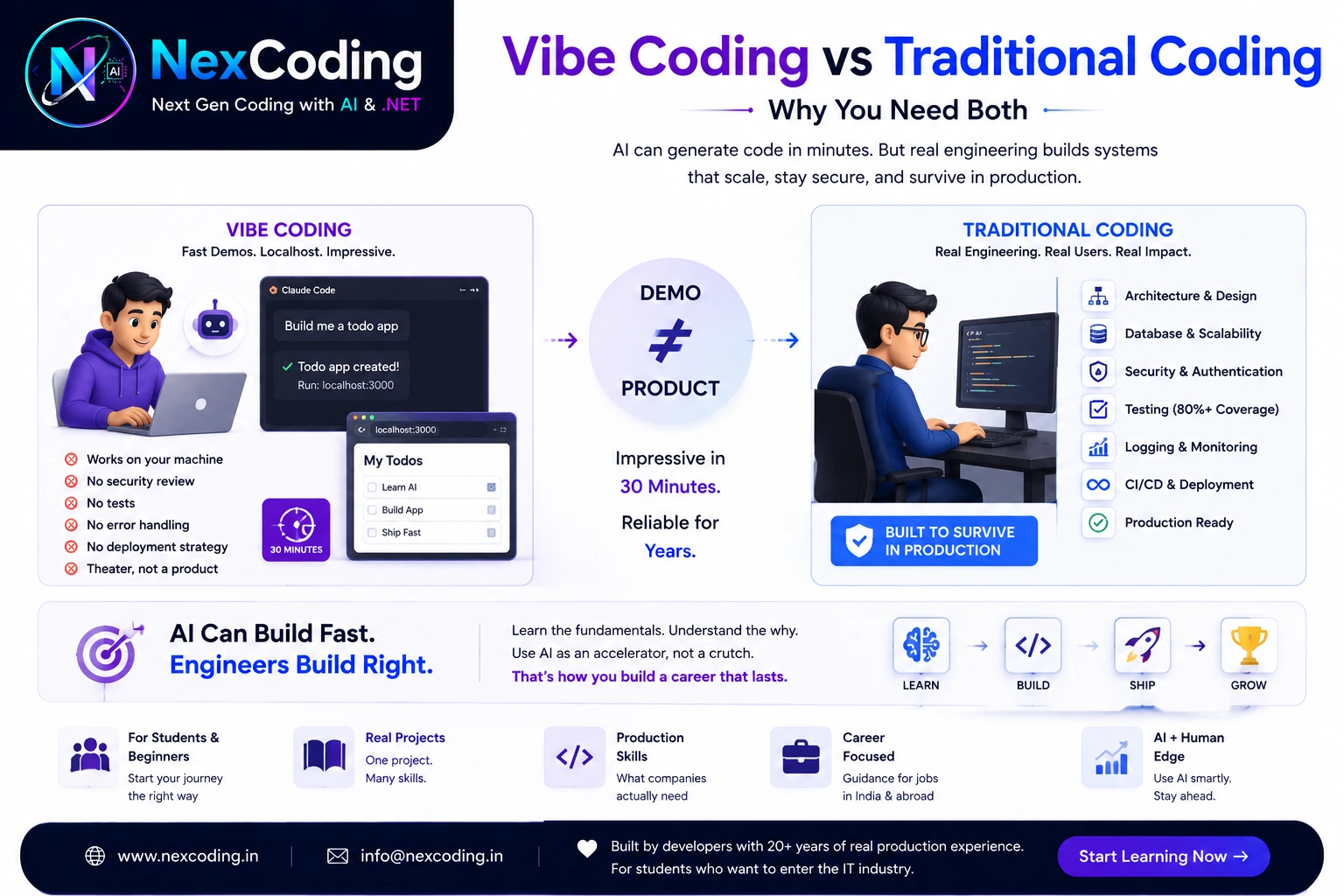
Vibe coding = using AI to generate working code without understanding it.
The workflow looks like this:
- ✅ Ask Claude Code: "Build me a todo app"
- ✅ Click run → localhost:3000
- ✅ It works on your machine
- ✅ Screenshot. Post online: "No experience needed, built in 5 minutes"
What actually happened:
- ✅ AI generated syntactically valid code
- ✅ Components connected to a database
- ✅ Frontend renders something functional
- ✅ Works. Today. On your machine.
What didn't happen:
- ❌ Security review
- ❌ Error handling for real users
- ❌ Database constraints and indexes
- ❌ Automated tests
- ❌ Documentation
- ❌ Deployment strategy
- ❌ Production monitoring and alerting
Theater, not a product. Impressive locally. Breaks in production.
You (in interview): "Built a full todo app with authentication in 30 minutes using AI."
Employer (thinking): "Can they debug code they didn't write? Do they understand why the code works? Can they architect a system from scratch?"
What they ask: "Walk me through your architecture. Why did you choose that database structure? How would you handle 10,000 concurrent users?"
You're silent. You don't know.